
How to Control Fuel Card Spend
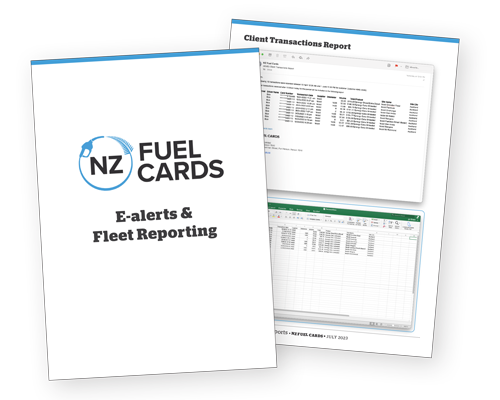
Keeping fuel card spend under control comes down to visibility. When you can see how each card is used, by which vehicle and at which site, anything unusual stands out on its own and you can deal with it early. NZ Fuel Cards gives you that visibility through a set of alerts and reports you switch on to suit your business.
A fuel card is trust you hand to your team, and most of the time that trust just works. The point of the tools below is not suspicion. It is knowing, without having to go looking.
How do I know how my fuel cards are being used?
You do not have to log in and check. The eAlert system sends an automatic email when a transaction matches something you have asked to watch for. There are ten alerts to choose from, and these are the ones businesses reach for most:
- After-hours use: activity outside the hours your vehicles normally run.
- Multiple transactions in one day: several fills on the same card inside 24 hours.
- Exceeding 80% of a card limit: a heads-up before a card declines at the pump.
- Multiple fuel types: more than one fuel type bought on a single card.
- Non-fuel transactions: purchases that are not fuel at all.
- Off-truckstop diesel: diesel bought away from a truckstop on a BP or Z card, where you may be giving up a saving.
Each alert is a prompt, not a verdict. It flags something worth a look and leaves the judgement to you. Most of the time the explanation is innocent. The value is in finding out now rather than at the end of the month. The full list, including account credit limit alerts, is on the Fuel Card Reporting page, and an original rundown of each alert is here.
What can fuel card reports show me?
Alerts tell you about a single transaction. Reports show you the shape of your spend over time, organised the way your business actually runs:
- Cost Centre invoices group spend by department, site or project, which makes the accounting side simpler.
- Page per Rego or Driver allocates every transaction to a vehicle or a person, so accountability is clear without anyone having to reconstruct it.
- Fleet Reports pull the whole fleet’s fuel use into a single view.
- Weekly or daily transaction summaries arrive on a schedule, so nothing waits for the monthly invoice.
Between them, every litre is tied to a card, a vehicle, a site and a date.
What does this look like in practice?
Take a business whose vehicles only run during weekday hours. A card leaves the vehicle it belongs to and gets used at an unmanned site late at night. Nothing about that transaction is unusual on its own. It is a normal fill, at a normal site, on a valid card.
Without an alert, it surfaces as one line on next month’s invoice, among dozens of others, and only if someone reads closely. With the after-hours alert switched on, it is an email the following morning naming the card, the site, the time and the amount. From there you can check it, and suspend the card from the app if you need to.
The transaction is the same either way. What changes is whether you find out in a morning or a month.
What else helps keep spend under control?
- Set limits to reality. Give each card a monthly limit that matches what the vehicle actually uses, rather than a round number with room to spare. You can lift it later if a route changes.
- Use the PIN. Every card is set up with a PIN when you apply, so a card on its own is not much use to whoever finds it.
- Read the invoice. It is itemised by card, date, site and amount. Two minutes down the column catches the odd thing before it becomes a habit.
- Keep the card list current. Cards for vehicles you have sold or staff who have moved on are the easiest ones to forget. You can suspend or cancel them yourself in the app.
- Suspend a lost card straight away. The gap between a card going missing and someone reporting it is the risky part. Close it fast, either in the app or by calling the team.
Frequently Asked Questions about fuel card spend
How do I turn eAlerts on? Email [email protected] or call 0800 111 391 and tell the team which alerts you want on your account.
What happens when an alert fires? You get an email with the transaction details and you decide whether it is legitimate. If it is not, call NZ Fuel Cards to suspend the card and look into it.
Can I organise reporting by driver or cost centre? Yes. Cost Centre invoices and Page per Rego or Driver reporting are both available, so you can group spend the way your business needs it.
Can I suspend a card myself? Yes. The NZ Fuel Cards app lets you suspend, cancel or reactivate a card and change PINs from your phone.
If you want more visibility over your fuel spend, you can apply online, or talk to the team.