
Invoice and Statement Update:
What’s changing and how to read it
What’s changing (and why)
We’ve updated the way our invoices and statements are presented. The goal is simple: make it easier to understand what you’ve spent, what you’ve paid, and what’s still owing — all in one place.
What you’ll see on the new Invoice Statement
(yes, it's now a single document!)
You’ll see a short summary that includes:
- Balance brought forward (any amount still owing from earlier periods)
- Payments received (any payments processed or received during the period)
- Current charges for the billing period
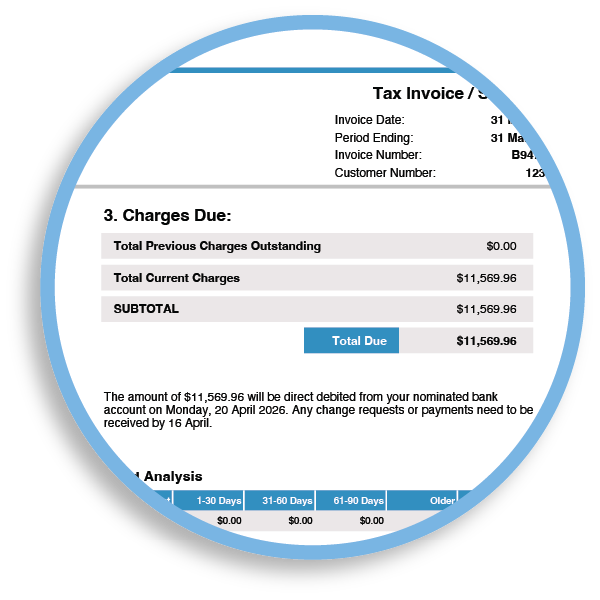
- A Total Due amount, which is your updated total owing
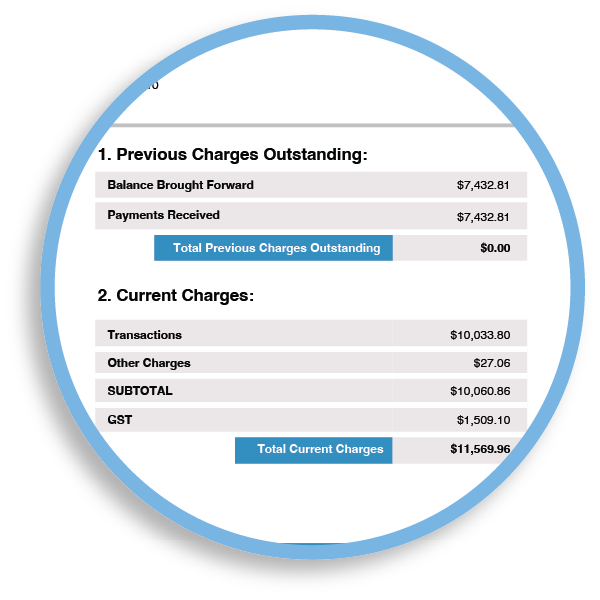
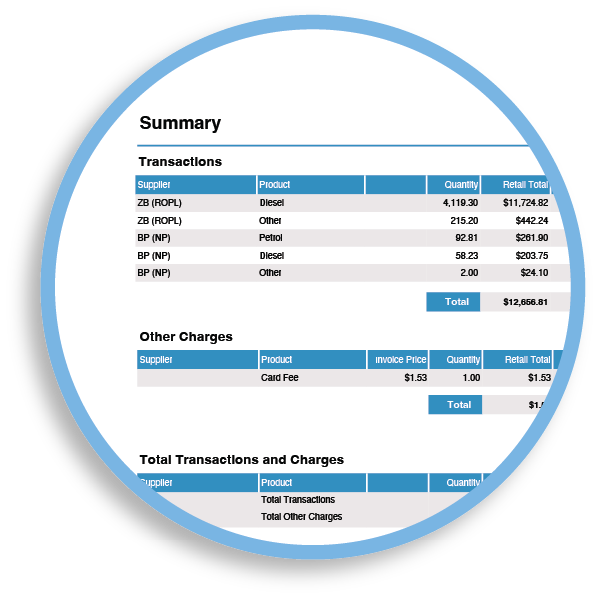
Charges are grouped so it’s easier to scan:
- Transactions: fuel supplier charges (fuel and any shop items billed through the fuel supplier)
- Other charges: account-level fees (for example card fees and other NZ Fuel Cards charges)
You’ll also see these grouped amounts brought together in the totals, so it’s clearer what makes up the current charges for the period.
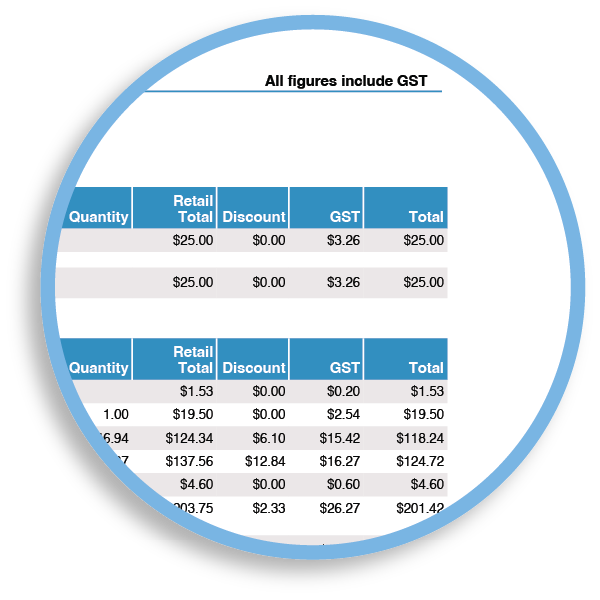
Most values are shown GST-inclusive, but the Invoice Statement totals also show the GST content as its own line item.
This helps customers who need to identify the GST portion for their records.
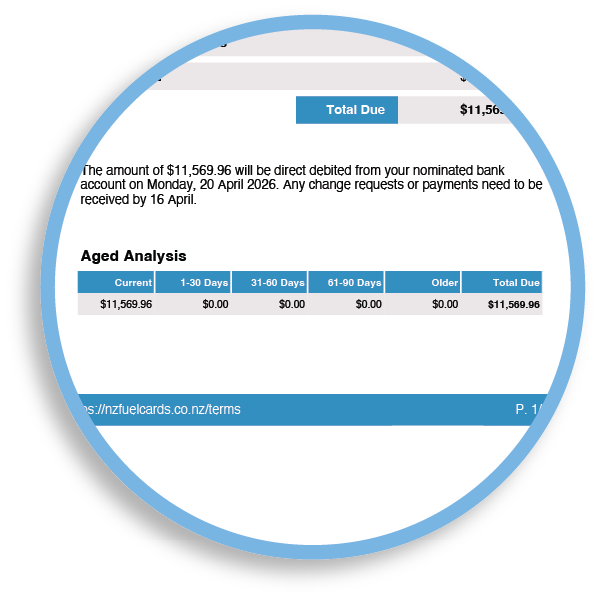
Our Invoice Statement will continue to include a note confirming when your payment is due to be processed.
Important: payments will now include the full amount owing on the account at the time (so current charges plus any outstanding balance).
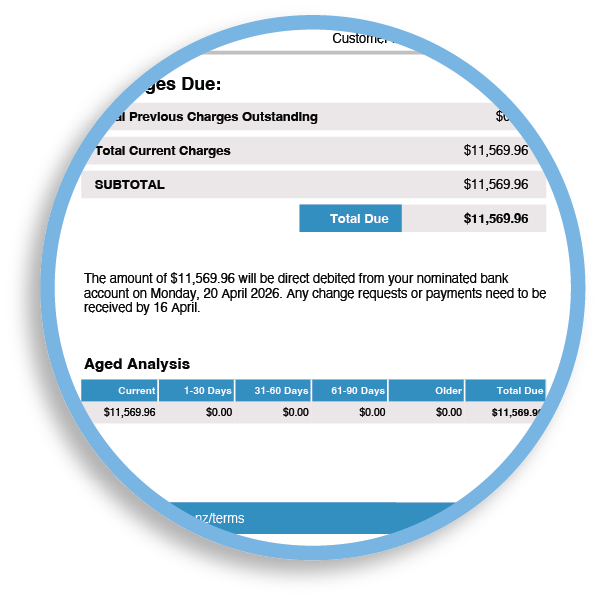
You’ll see an aged analysis section that helps clarify what’s currently due.
There is also a receipts section which lists all payments and credits to your account.
This can be helpful if there’s more than one payment or adjustment during a billing period, because it’s easier to see what’s been applied and when.
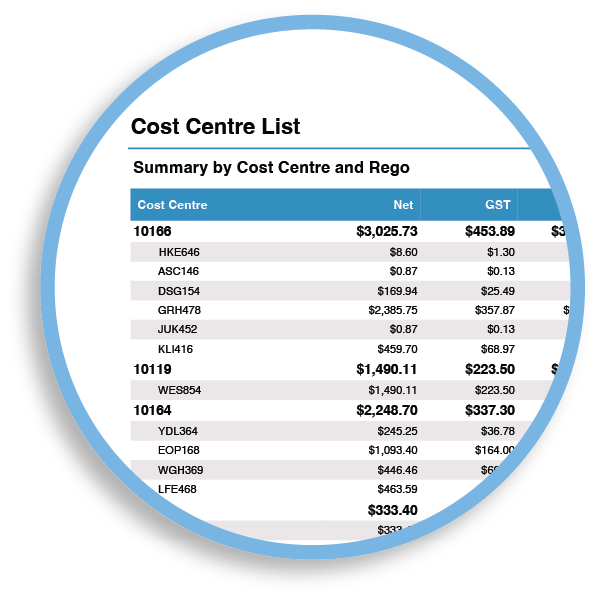
If your account uses cost centres, you may see transactions grouped by cost centre to help with internal tracking and reconciliation.
Depending on your setup, cost centres may be shown on separate pages with subtotals for each cost centre.
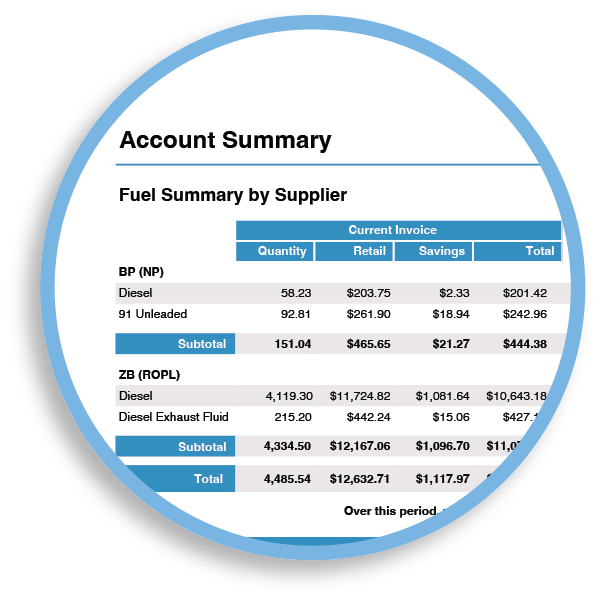
The fuel summary remains, including:
- Spend by supplier
- Fuel types
- Rolling 12-month totals
- Total savings
Common questions
Where do card fees appear?
Card fees appear under Other charges.
Do shop items appear as transactions?
Yes — if they come through from the fuel supplier, they will be included in Transactions.
Will anything change about how you take payments?
No, for most of our customers that pay in full, there will be no change. This is mainly a presentation and clarity upgrade.
The major change is in our payment processing. The amount processed will be the full amount showing as due on the Invoice Statement (not just the current period’s charges).
Need help reading your new Invoice Statement?
If you’re unsure about any line item (especially payments, dishonours, fees, cost centres, or how the balance is calculated), get in touch with our team and we’ll walk you through it.